Interactive Prototype Design
Figma prototypes that help you test the experience before you build it.
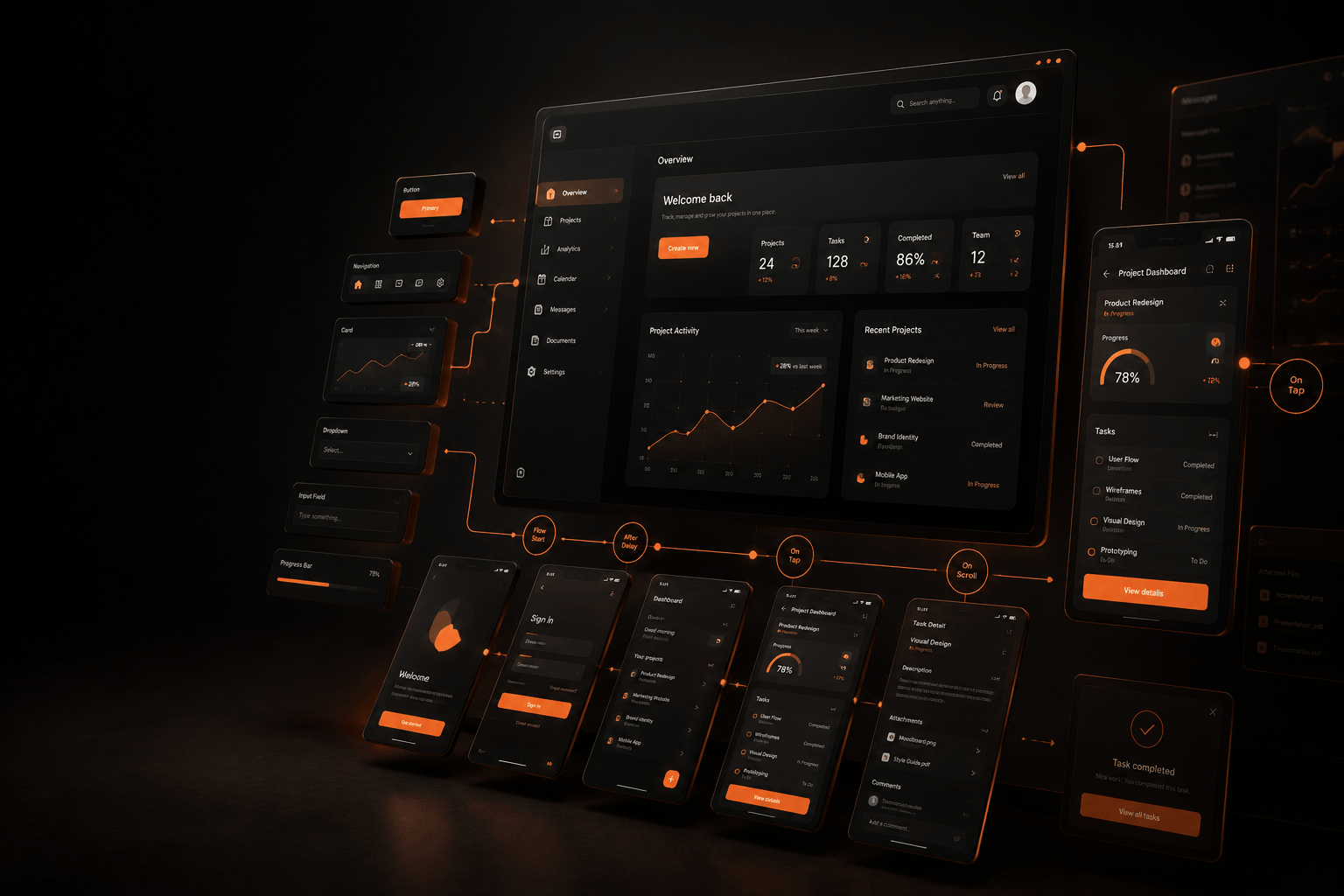
Nanolix Digital creates Figma prototype experiences that turn your idea, website, app, or platform into a realistic clickable flow. You can test the journey, review the screens, collect feedback, and fix confusion before development begins.
- Clickable prototype
- Interactive prototype
- App prototype
- Website prototype
- Product flow testing
Why Prototype
A prototype shows what words and wireframes cannot.
Static screens can show how something looks. But a prototype shows how it works.
A clickable prototype is one of the smartest steps before building a website, app, dashboard, or digital product.
Development gets expensive when the flow is unclear.
A Figma prototype helps solve that before code is written. You get to see the experience, click through it, and improve it early.
What's Included
What our Figma prototype service includes
We design prototypes that help your team understand, test, and improve the user journey before launch.
Clickable Prototype Design
We create a clickable prototype in Figma that connects your screens into a working experience.
Users can click buttons, move between pages, open menus, test forms, and understand how the product will behave.
Interactive Prototype for User Testing
An interactive prototype helps you test the experience before it becomes a live product.
We design realistic screen flows so your team can watch how users move, where they hesitate, and what needs to be simplified.
App Prototype Design
An app prototype helps you visualize the full mobile experience before investing in build.
We create mobile app flows for onboarding, sign-up, navigation, dashboards, booking, checkout, profiles, settings, and key product actions.
High-Fidelity Figma Prototype
High-fidelity prototypes help teams experience the product with real visuals, real content, and realistic interactions.
We design polished Figma prototypes with brand styling, UI components, transitions, hover states, mobile behavior, and clear screen connections.
Prototype for Website and Landing Page Flows
Websites and landing pages need a clear path from first impression to action.
We create prototypes that show how visitors move through sections, CTAs, forms, menus, service pages, and conversion paths.
Mobile Apps
Figma Prototype for Mobile Apps
A Figma app prototype helps founders, product teams, investors, and developers understand the experience before it becomes a working product.
What We Prototype
Onboarding flows
Login and sign-up screens
Navigation flows
Profile screens
Booking flows
Dashboard screens
Settings screens
Notifications
User account journeys
Websites
Figma Prototype for Websites
A website prototype helps you see how the full experience connects.
What We Prototype
Homepage flow
Service page flow
Landing page sections
Navigation menus
Mobile layouts
CTA paths
Conversion journeys
Multi-page website flows
Deliverables
Figma prototype deliverables
Everything you receive at the end of a prototype engagement, ready to review, share, and hand to your development team.
- Figma prototype
- Clickable prototype
- Interactive prototype
- App prototype
- Website prototype
- User flow mapping
- High-fidelity UI screens
- Mobile app screens
- Desktop and mobile flows
- Button and navigation interactions
- Form flow interactions
- Prototype link for review
- Developer-ready Figma file
- Feedback and refinement support

Ready to turn your idea into a clickable experience?
Share your idea, screens, or existing product and we'll map the flow worth prototyping first.

Nanolix Digital is a UI/UX design agency and web development company delivering custom digital solutions, professional website design, brand identities, and digital products for growth-focused businesses.


 Office 401, Plaza 06, Eiffel Tower Commercial, Bahria Town Phase 8, Rawalpindi
 info@nanolixdigital.com
 +16463499973
© Copyright 2026, Nanolix Digital All Rights Reserved